Last updated: 2026-11-09
Data cleansing tools for customer file imports
Most data cleansing tools clean data after it's already in your database. MassImporter cleans it on the way in. When customers upload CSV or Excel files to your product, values in number, date and true/false fields are converted when they're in a supported format. Every row is then checked against your rules and either delivered clean or held back for a fix. Users fix bad rows themselves, and duplicates are handled by your rules.
Who this is for: SaaS teams that receive data from customers. If you're an analyst cleaning your own spreadsheet, a desktop tool such as OpenRefine is a better fit. See the comparison below.
On this page
- Why clean data at import
- How each value is read and stored
- Fixing dirty rows without re-uploading
- Removing duplicates
- Automated data cleaning with templates
- Exporting clean data and error rows
- How MassImporter compares with other data cleaning tools
- How to choose a data cleansing tool
- FAQ
Why clean data at import
Customer files are messy: extra spaces, dates in three formats, prices stored as text, the same customer listed twice. Every one of those problems gets more expensive once it's inside your system. Bad values break reports, duplicates trigger double emails, and someone has to find and fix them by hand.
Cleaning at import moves that work to the cheapest point: before the data lands, while the customer who knows the data is still in the import flow. Every import follows the same steps: Upload → Map → Validate → Preview → Import. Cleansing happens in the steps before Import, so nothing is written to your systems until every row is checked.
How each value is read and stored
Each row from the uploaded file is stored with its values and its errors:
| What is stored | What it holds |
|---|---|
| Values | Each mapped column's value as read, after number, date and true/false conversion. For example, "0040" in a number field becomes 40, and "yes" in a true/false field becomes true. |
| Errors | Every rule the row broke, with a message for each |
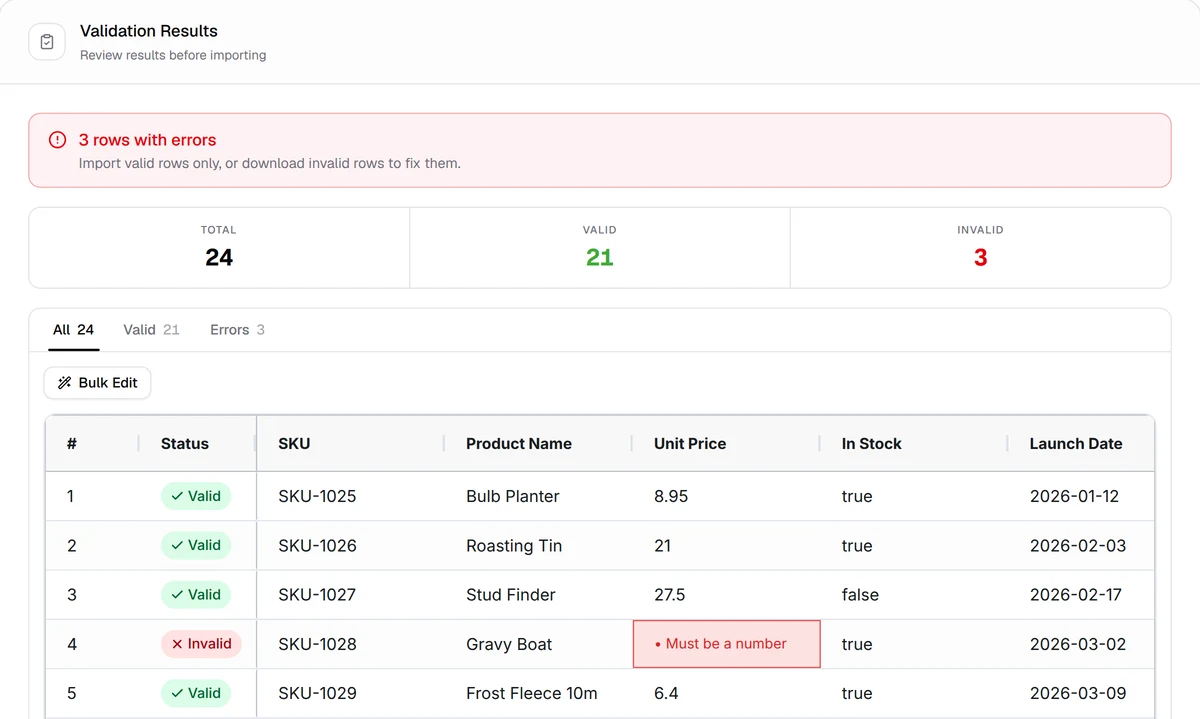
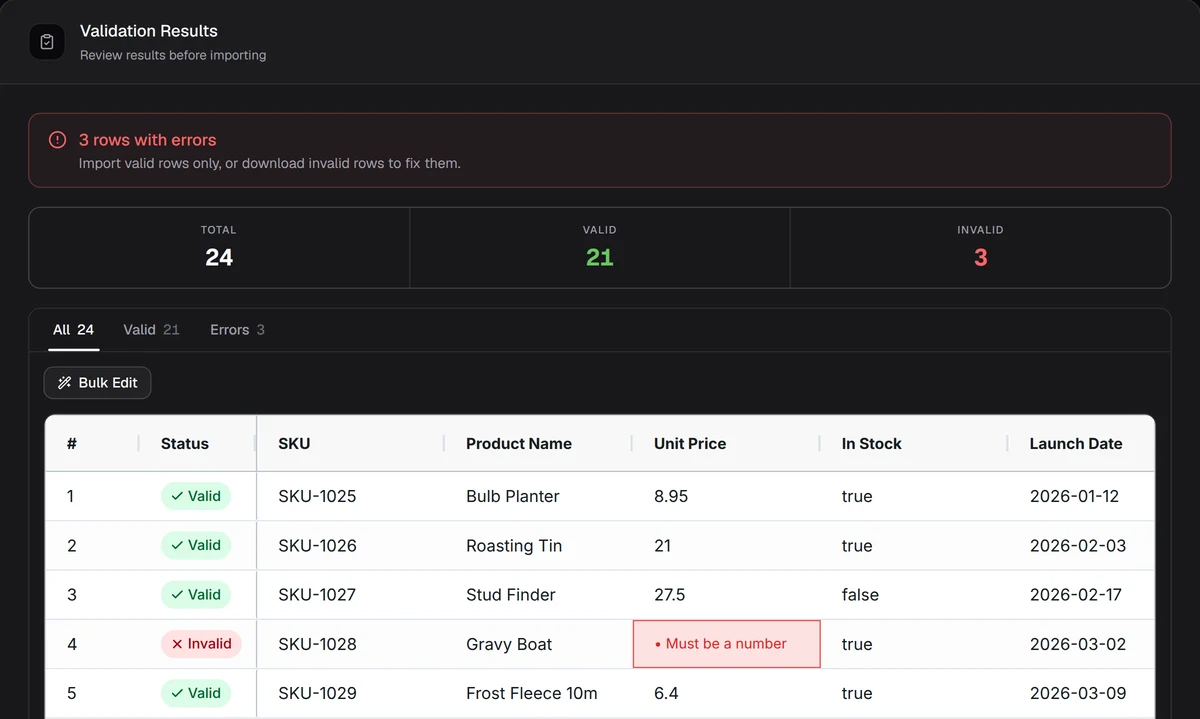
Rows are tagged valid or invalid. If a date had to be reformatted, the row as uploaded is kept too. Only mapped columns are stored, and an edited row stores the edited value. All rows are deleted at the end of your plan's retention period: 7 days on Free, and 30, 90 or 365 days on paid plans.
How values are read:
- Numbers: plain digits, with an optional sign, decimal point or exponent, such as
-12.5or2e3. Thousands separators and currency symbols aren't read, so "1,200" and "$1,200" fail the number check. Numbers from Excel cells are already numbers, whatever their display format. - Dates: a date written as YYYY-MM-DD is stored as YYYY-MM-DD. Zero padding is optional, so 2026-3-5 becomes 2026-03-05, and a time after the date is dropped. Other formats, such as 03/15/2026, are not converted: they fail the "Is a date" check. Impossible dates, such as 2026-02-30, are rejected.
- True/false: true, yes and 1 are read as true, and false, no and 0 as false, in any case. Other words, such as y/n or on/off, are not read.
- Spaces: spaces around numbers, dates and true/false values are ignored. Text values, including email addresses, are never trimmed, lowercased or changed.
- Allowed Values: matching ignores case, but the stored value keeps the customer's spelling and case.
The data type of each field decides how its values are read. When you build a template from a sample file, MassImporter detects each column's type from the first 50 rows.
Fixing dirty rows without re-uploading
Some values can't be cleaned automatically, such as a missing email or a price of "call us". Those rows are marked invalid with the reason, using the data validation rules on each field.
Users don't need to fix the source file and upload it again. They edit invalid rows directly in the review grid. Each edit is checked at once, and Save Edits validates the rows again. When everything looks right, they click Import N Valid Rows.
The person who knows the data fixes it, in one place, during the import.
Removing duplicates
Duplicates are one of the most common problems in customer data. MassImporter handles them in two ways:
- Unique rule (every plan): marks a field as unique, so repeated values in a file are flagged as errors.
- Deduplication (Pro and Enterprise):
- Within-import: finds duplicate rows in the current upload by match key fields (for example
email, orsku+warehouse). You choose whether duplicates are skipped, kept (the last one wins) or flagged as errors. - Cross-import: compares the upload with a previous import you choose and tags each row as new, updated or unchanged, and you can skip unchanged rows.
- Within-import: finds duplicate rows in the current upload by match key fields (for example
Automated data cleaning with templates
Cleansing in MassImporter isn't a script you run once. It's part of your template: the field types, rules and duplicate settings are defined once, then applied to every file from every customer.
- Same rules for every file. A new customer's file is cleaned exactly like the last one.
- Versioned. On Starter and above, change the rules in a new template version (Free has one version per template). Past imports stay pinned to the version they ran against, so their results never change.
- Mapping comes first. Columns are matched to fields by name and alias before cleansing starts, and repeat file layouts map themselves. See data mapping.
This is automated data cleaning without a black box. Every change to a value follows a fixed, documented rule, and every rule a row breaks is shown with its message.
Exporting clean data and error rows
Once an import completes, clean data goes to your system through the REST API or HMAC-signed webhooks. You can also export the rows as soon as an import is validated:
- Formats: CSV and Excel on every plan; Parquet on Pro and Enterprise
- Scope: valid rows, error rows or all rows
- Error messages: CSV and Excel exports of error rows include an Errors column with the message for each failed rule. Parquet exports contain the data columns only.
- Excel: one worksheet per template sheet (Excel allows up to 1,048,576 rows per worksheet; use CSV or Parquet for larger sheets)
Exporting error rows as CSV or Excel gives a customer an exact list to fix in their own spreadsheet, with the reason next to each row.
How MassImporter compares with other data cleaning tools
Choose by where the dirty data comes from:
| Job | Typical tools | Who cleans | Fit for customer file imports |
|---|---|---|---|
| Cleaning your own spreadsheet or dataset | OpenRefine, Excel / Power Query | An analyst, by hand | Low: manual, file by file |
| Contact data quality (addresses, emails, phones) | Melissa, WinPure, Validity | Data or CRM teams, after the data is stored | Low: cleans after the fact, needs its own import |
| Cleaning inside data pipelines | integrate.io, Informatica and other ETL tools | Data engineers | Medium: built for flows between systems |
| Cleaning customer uploads in your product | Embeddable importers such as MassImporter | Your customers, with your rules | High: dirty data never lands |
How to choose a data cleansing tool
The table above sorts tools by where the dirty data comes from. If it arrives as files from your customers, these questions help you compare the tools that fit:
- Who does the cleaning? An analyst can clean one file by hand. When many customers each send files, the fixing has to move to the customer, during the upload, guided by your rules.
- Are the rules written once? Rules you define once and apply to every file mean a new customer's file is cleaned the same way as the last one. In MassImporter they live in the template, as described in Automated data cleaning with templates above.
- What does the tool change on its own? Automatic fixes save time, but a tool that quietly rewrites values can hide a problem. Ask which changes it makes and whether each one follows a documented rule. MassImporter only converts number, date and true/false values in the formats listed above. Everything else is kept as sent or flagged by a rule.
- What doesn't it fix? Know the gaps before you choose. MassImporter doesn't trim or change text, read "1,200" as a number, convert text dates such as 03/15/2026, or check that an address or phone number is real. If you need those done automatically, do them in your own code after delivery, or use a tool built for that job.
- How are duplicates found? Ask whether the tool finds duplicates inside one file, across uploads, or both. In MassImporter, matching is exact: "Ann@example.com" and "ann@example.com" are different values. The Unique rule works on every plan; deduplication needs Pro or Enterprise.
- What happens to rows that fail? Rejected rows shouldn't vanish. Look for a list of failed rows with the reason for each, which the customer can fix in place or export.
- How long is the data kept? Customer files often hold personal data, so check how long processed rows are stored. MassImporter deletes them at the end of your plan's retention period.
- Does it work with your messiest file? A real customer file tells you more than a feature list. The Free plan covers 100 rows per import, enough to see how a file is read and which rows fail.
Frequently asked questions
What do data cleansing tools do?
They find and fix problems in data, such as wrong types, inconsistent formats, missing values and duplicates. MassImporter finds these problems in files customers upload to your product, converts what it can, and holds the rest back for a fix before the data reaches your database.
What are examples of data cleaning?
Reading "yes" and "no" as true and false, storing numbers as numbers, rejecting impossible dates such as February 30, flagging rows with a missing required field, and removing duplicate customers. MassImporter handles these through field types, validation rules and deduplication.
Is data cleansing part of ETL?
In ETL, cleansing happens in the "transform" step, between extracting and loading. MassImporter does the same for customer files: each file is mapped, cleaned and validated before it's loaded into your system.
Can ChatGPT do data cleaning?
AI chat tools can help clean a single file by hand. For data that customers send you again and again, you need the same rules applied to every file, with a record of what failed and why. MassImporter's cleansing is rule-based, and every row lists the rules it broke.
Does MassImporter remove duplicates?
Yes, on Pro and Enterprise. Within an import, duplicates can be skipped, kept or flagged as errors. Across imports, rows are tagged new, updated or unchanged. On every plan, the Unique rule flags repeated values as errors.
What does MassImporter store for each row?
The values as read, after number, date and true/false conversion, plus any errors. If a date had to be reformatted, the row as uploaded is kept too. Only mapped columns are stored, and an edited row stores the edited value. All rows are deleted at the end of your plan's retention period (7 days on Free).
Which data cleaning tool is best?
It depends on where the data comes from. For your own spreadsheet, a desktop cleaning tool works well. For data moving between systems, an ETL tool fits. For files your customers upload to your product, an embeddable importer such as MassImporter cleans and checks each file before it lands.
Is data scrubbing the same as data cleansing?
Yes. Data scrubbing, data cleansing and data cleaning are used for the same work: finding and fixing wrong values, inconsistent formats, missing data and duplicates.
What is the difference between data cleansing and data validation?
Validation checks whether a value follows your rules and reports what fails. Cleansing changes data to fix it, for example by converting types or removing duplicates. MassImporter does both at import: it converts the values it can read, then checks every row against your validation rules.
Clean your first customer file free. The Free plan includes 100 rows per import, 1,000 rows per month and up to 3 templates. No credit card needed. Get started →