Last updated: 2026-11-09
Data validation tools for customer file imports
MassImporter is one of the data validation tools built for one job: checking the CSV and Excel files your customers upload, before anything reaches your system. You set rules on each field in a template. Every row is checked against them, users fix the rows that fail right in the review screen, and only clean data is delivered.
Most data validation software tests databases and pipelines after the data is already loaded. MassImporter stops bad data at the door.
On this page
- How validation works
- Data types
- Data validation rules: all 17 types
- What each row stores
- Fixing errors without re-uploading
- Duplicates
- Data validation vs data cleansing vs data verification
- How MassImporter compares with other data validation tools
- How to choose a data validation tool
- FAQ
How validation works
Every import follows the same steps: Upload → Map → Validate → Preview → Import.
Validation comes straight after column mapping. Once each column is matched to a field, MassImporter checks every row against that field's type and rules. This runs automatically. Every row is checked before any data is delivered, so a file with 300 bad rows never puts 300 bad records into your database.
Rules live on the fields of a template version. On Starter and above, you change a rule by publishing a new version (Free has one version per template). Imports already run stay pinned to the version they used, so their results never change afterwards.
Data types
Each field has one data type, which decides how a value is read:
| Type | Reads |
|---|---|
string | Any text, stored exactly as sent |
number | Plain decimal numbers (no thousands separators or currency symbols) |
date | YYYY-MM-DD dates |
boolean | true/false, yes/no, 1/0, in any case |
enum | One value from a fixed list. An enum field always has the Allowed Values rule. |
Email is a rule on string fields, not a type. A type is how a value is read; rules are what it's checked against. The type alone rejects nothing: a field with no rules accepts any value. The Is a number, Is a boolean and Is a date rules are what flag a value that can't be read as its type.
When you build a template from a sample file, MassImporter detects each column's type from the first 50 rows. It also adds the matching "Is a number", "Is a boolean" or "Is a date" rule to number, boolean and date fields.
Data validation rules: all 17 types
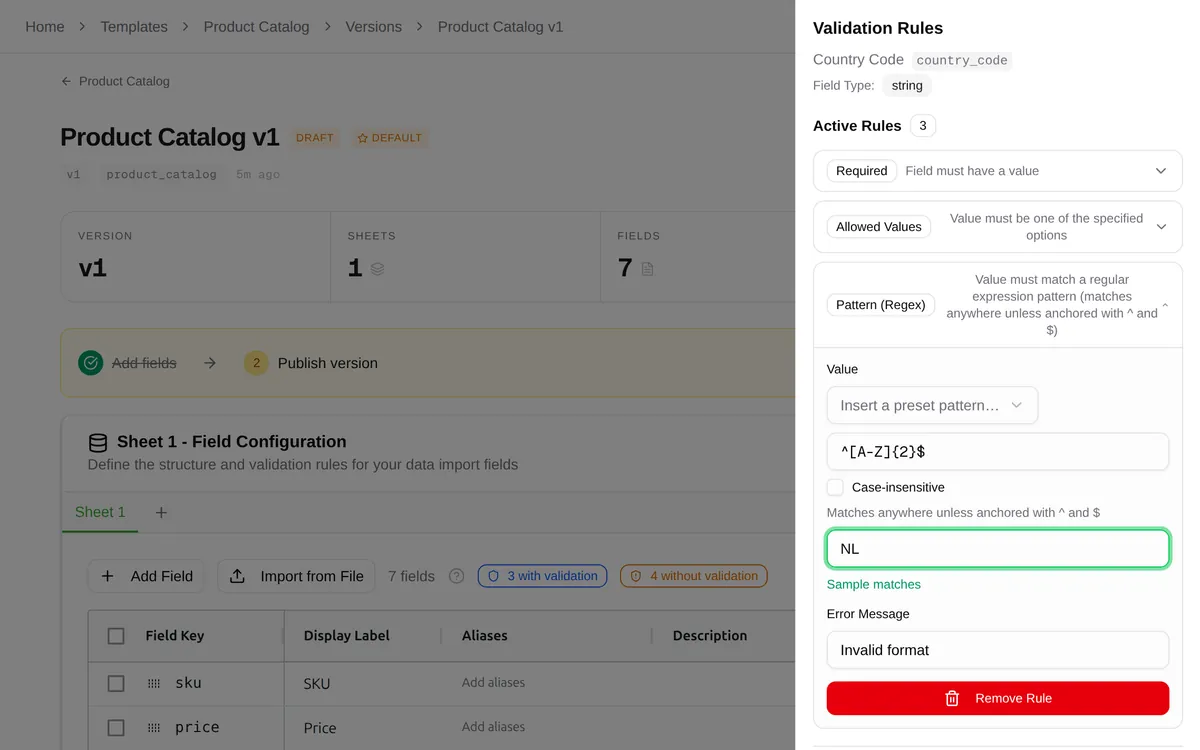
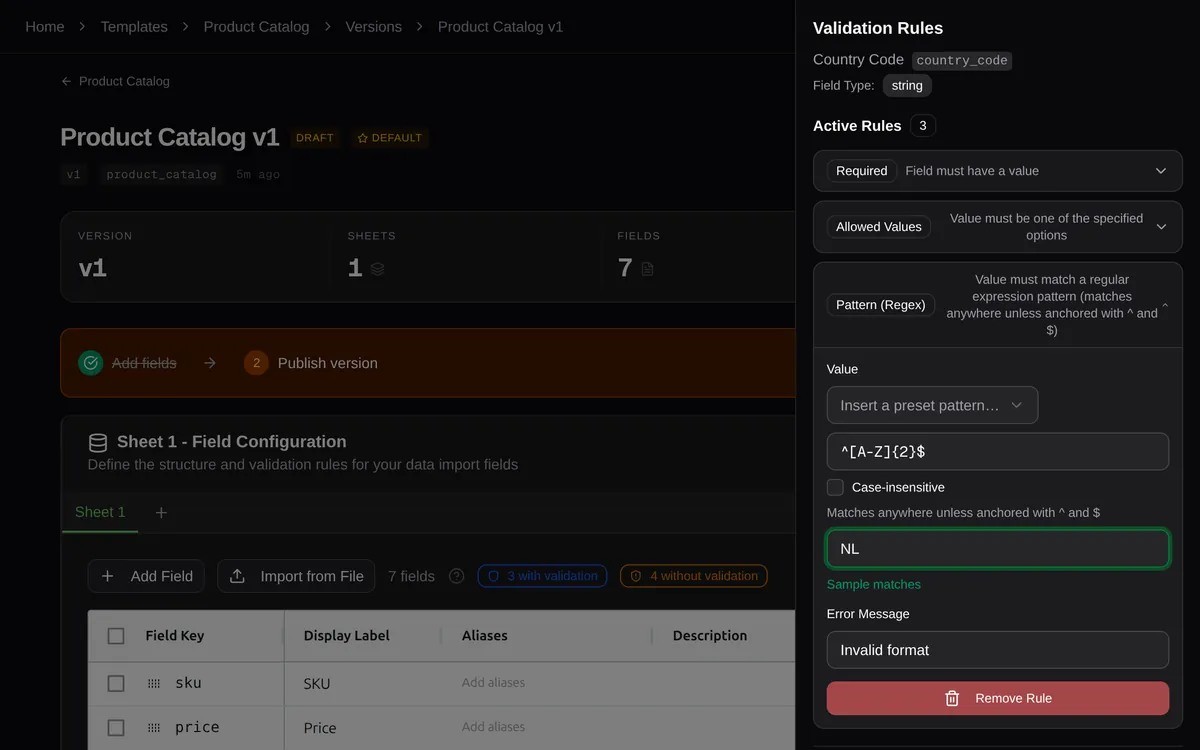
Fields can carry rules that every row must pass. Required and Unique are checkboxes in the field grid. Every other rule is added with the field's Add Rules button.
| Rule | What it checks | Example |
|---|---|---|
| Required | The field has a value | email can't be empty |
| Unique | No two rows share the value (not available on boolean fields) | Each sku appears once |
| Min Length / Max Length | Text length (string fields) | country_code is exactly 2 characters |
| Minimum Value / Maximum Value | Number ranges | quantity ≥ 0 |
| Date Range | Dates within limits | start_date on or after 2020-01-01 |
| Pattern (Regex) | A custom format, or a preset (email, phone, UUID and more), with optional matching that ignores case, and a live tester | invoice_id matches INV-\d{6} |
| Allowed Values | The value is on a list you enter, separated by commas (string, number and enum fields). Matching ignores case. | plan is one of Free, Starter, Pro |
| Email Format | A valid email address | contact_email |
| URL Format | A valid URL | website |
| Decimal Places | At most N decimal places | price has at most 2 |
| Positive | The number is above zero | unit_price > 0 |
| Integer | A whole number | seats |
| Is a number / Is a boolean / Is a date | The value can be read as that type | Added automatically to detected fields |
That's 17 rule types: two pairs (length, value) and the three type checks count separately.
Some things to know:
- Rules apply to one field at a time. No rule compares two fields in the same row, so "end date after start date" can't be expressed as a rule.
- A regex that doesn't compile is never saved. The rule drawer warns "Pattern does not compile", and the server refuses to store it, so a broken pattern never reaches an import.
- Presets save time. Use a preset pattern instead of writing your own regex: email, phone, UUID, US ZIP code, Dutch postcode, IPv4 address, ISO date, 24 hour time, hex color and more.
- Decimal Places and Integer can't both be on one field. Pick the one that matches the data.
This is data quality validation at the point of entry. Your customers' data is checked before it can affect reports, billing or integrations.
What each row stores
Each row of the uploaded file becomes a processed row with:
- Values: each mapped column's value as read, after number, date and true/false conversion. For example, "0040" in a number field becomes 40, and "yes" in a boolean field becomes true. Text is never changed.
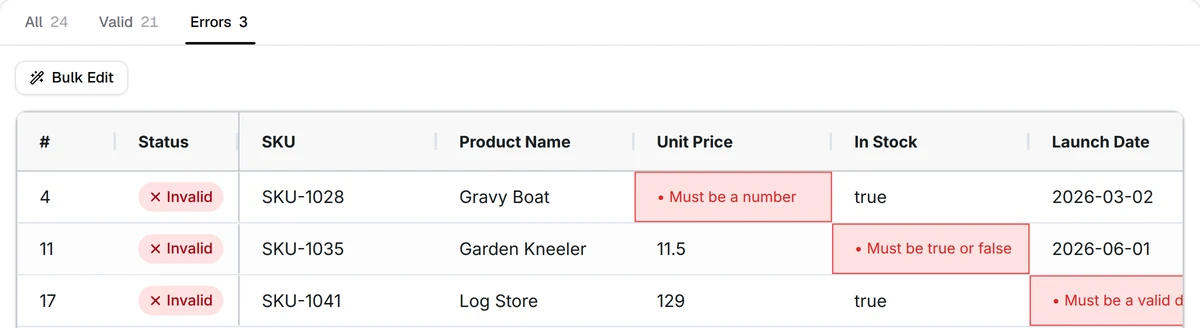
- Errors: every rule the row broke, with a message for each.
Rows are tagged valid or invalid. If a date had to be reformatted, the row as uploaded is kept too. Only mapped columns are stored, an edited row stores the edited value, and all rows are deleted at the end of your plan's retention period (7 days on Free).
Fixing errors without re-uploading
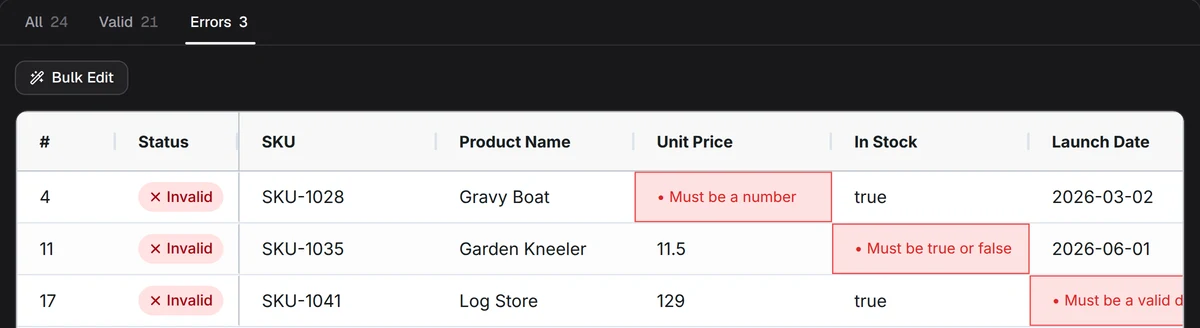
When rows fail, users don't need to fix the source file and upload it again. They can edit invalid rows in the review interface, and each row is validated again on save.
Once an import is validated, you can export the results as CSV or Excel on every plan, or Parquet on Pro and Enterprise. Choose valid rows, error rows or all rows. An Excel export has one worksheet per template sheet. CSV and Excel exports of error rows include an Errors column with the message for each failed rule. Parquet exports contain the data columns only. Exporting error rows gives your customer a list of exactly what to fix in their own spreadsheet.
Clean data then goes to your system through the REST API or HMAC-signed webhooks.
Duplicates
The Unique rule flags repeated values inside a file. To skip, keep or compare duplicates across imports, use deduplication (Pro and Enterprise). It's covered on the data cleansing tools page.
Data validation vs data cleansing vs data verification
The three terms are often mixed up. They answer different questions:
| Process | Question it answers | Does it change the data? | In MassImporter |
|---|---|---|---|
| Data validation | Does this value follow the rules? | No. It passes or fails each value and says why. | The 17 rule types on this page |
| Data cleansing | How do we fix or tidy this value? | Yes. It converts, corrects or removes data. | Number, date and true/false conversion, fixes in the review screen, and deduplication (Pro and Enterprise) |
| Data verification | Is this value true? | No. It compares the value with a trusted source. | Not included |
A value can pass validation and still be wrong. "jane@example.com" passes the Email Format rule because it's shaped like an email address. Only verification, such as a confirmation email, tells you whether the mailbox exists. URL Format works the same way: it checks the shape of the address and never visits the page.
Verification also means checking that data copied between systems still matches the source, for example after a migration. That's the job of the migration tools in the comparison below.
For customer files, MassImporter converts the values it can read ("yes" becomes true), checks every row against your rules and lets the customer fix what fails. Verification, if you need it, runs on the clean data after delivery. More on cleaning: data cleansing tools.
How MassImporter compares with other data validation tools
"Data validation tools" covers several jobs. Choose by where your bad data comes from:
| Job | Typical tools | When the check runs | Fit for customer file imports |
|---|---|---|---|
| Spreadsheet input rules | Excel, Google Sheets data validation | While someone types in a cell | Low: only works in the customer's own spreadsheet, and only if they set it up |
| Database and migration checks | Google's Data Validation Tool (DVT), migration validators | After data is loaded or moved | Low: built for comparing tables between systems |
| Pipeline and data quality testing | Great Expectations and similar frameworks | Inside your data pipeline | Medium: needs engineers, and runs after upload |
| Validating customer uploads in your product | Embeddable importers such as MassImporter | Before data reaches your system | High: customers see and fix errors themselves |
If your customers send you spreadsheets, check them where they arrive.
How to choose a data validation tool
If your customers send you CSV or Excel files, ask these questions of any tool, MassImporter included:
- Where does the check run? A check that runs after loading finds problems once they're already in your reports. For customer files, look for a tool that checks every row before anything is written to your system.
- Who fixes the errors? The customer who sent the file knows the data best. A tool that shows each error next to its row, and lets the customer fix it without a new upload, saves your team a round of emails.
- Do the rules cover your data? List the checks your fields need. If you need rules that compare two fields, such as an end date after a start date, check that first: MassImporter doesn't support them, so you'd run those checks in your own system.
- How strict is it with formats? Decide whether a value like "1,200" or 03/15/2026 in a CSV file should be converted or flagged. In MassImporter, the Is a number and Is a date rules flag them for the customer to fix rather than guess what they mean. Date cells in Excel files are read as dates.
- Are the error messages useful? Every failed rule needs a message the customer can act on, and failed rows should export with their reasons.
- Do the rules stay stable? The same template should check every file, and a rule change shouldn't alter past results. In MassImporter, past imports stay pinned to the template version they ran against.
- How does clean data reach your product? Check for an API, webhooks or an embeddable widget that fits your stack. MassImporter offers a REST API, webhooks signed with HMAC, an MCP server and Mendix widgets on every plan.
- Can you test it with a real file? Try your messiest customer file before you commit. The Free plan covers 100 rows per import and files up to 50 MB.
When another kind of tool fits better:
- Your data is already in a warehouse or pipeline. A data quality testing framework checks it where it lives.
- You're moving data between databases. A migration validator compares the source and target tables.
- You need to know an address or phone number is real. Use a verification service.
- One person fills in one spreadsheet. The data validation built into Excel or Google Sheets is enough.
Frequently asked questions
What do data validation tools do?
They check data against rules, such as required fields, formats, ranges and allowed values, and report what fails. MassImporter does this for customer CSV and Excel uploads, checking every row before import and letting users fix failures in place.
What are the main types of data validation?
Common checks are presence (is it there?), type (is it a number or a date?), format (does it match a pattern?), range (is it within limits?), uniqueness, and allowed values. MassImporter covers all of these with its 17 rule types.
Can AI do data validation?
Some tools use AI to suggest rules or spot unusual values. MassImporter's validation is rule-based: you define the rules, and every row is checked against them the same way each time. That keeps results predictable and easy to explain to customers.
Can MassImporter validate CSV files and Excel files?
Yes. Both are validated against the same template rules. For Excel workbooks with several sheets, each sheet is checked against its own fields.
Can I check one field against another?
No. Rules apply to one field at a time, and cross-field rules aren't supported.
Do users have to re-upload a file to fix errors?
No. They can edit invalid rows in the review screen, and each row is validated again on save.
What is the difference between data validation and data verification?
Validation checks that a value follows your rules, for example that it's shaped like an email address. Verification checks that the value is true, for example that the mailbox exists. MassImporter validates every row; it doesn't check values against outside sources.
Which date formats pass validation?
Dates written as YYYY-MM-DD pass, and zero padding is optional, so 2026-3-5 is read as 2026-03-05. Date cells in Excel files are read as dates too. Other formats, such as 03/15/2026 in a CSV file, fail the Is a date rule, and the customer can fix them in the review screen.
Does validation change my customers' data?
Validation itself doesn't: it only passes or fails values. Before the rules run, number, date and true/false values in a supported format are converted, for example "yes" becomes true. Text is never changed.
Validate your first file free. The Free plan includes 100 rows per import and 1,000 rows per month. No credit card needed. Get started →